History Eraser: Privacy Check
INFOLIFE LLC
Downloads
10,000,000+
Source
Google Play
Click to download now, finish the installation quickly, and directly unlock the all-round experience
Screenshots
Click to download now, finish the installation quickly, and directly unlock the all-round experience
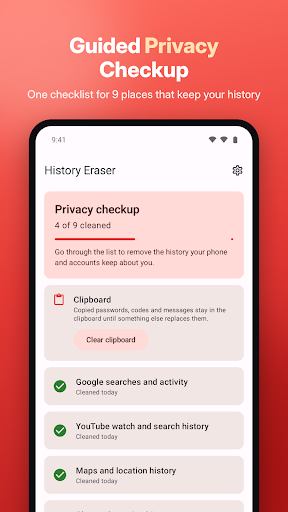
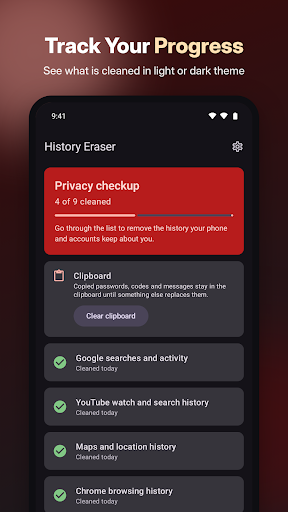
History Eraser: Privacy Check helps you find and review places where searches, browsing activity and other data can be stored on an Android phone and in linked services. It suits people who want a checklist and directions to the relevant controls, rather than an app that silently deletes everything for them.
The checkup brings together nine areas, including:
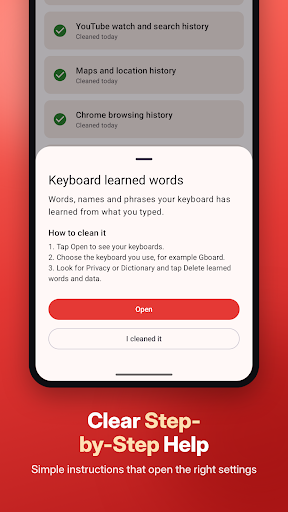
For each checkup item, the app explains what may be stored and provides directions to the screen, app or website where you can review or remove it. History Eraser does not delete those histories itself; it sends you to the relevant controls. Clipboard contents are the exception: the app can clear the clipboard with one tap.
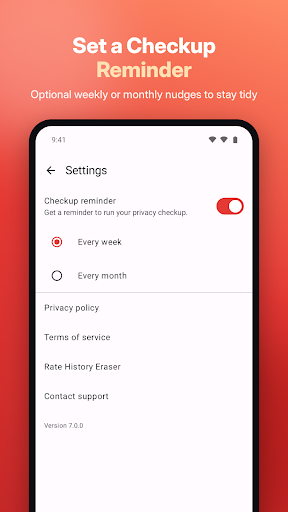
You can mark checklist items as cleaned, see your progress and note when you last reviewed them. Weekly or monthly reminders are available for keeping the checkup on your radar.
This is a practical fit if you want help locating privacy and history settings across Google services and Android, while staying in charge of each deletion. It is less suited to someone expecting a single button to erase all phone and account activity. From INFOLIFE LLC, the Tools app has a 4.18 rating from about 199,000 reviews and more than 10 million installs.